
SEO
Title Tag Optimization: Write Titles That Earn the Click
By Kavin P · · 8 min read
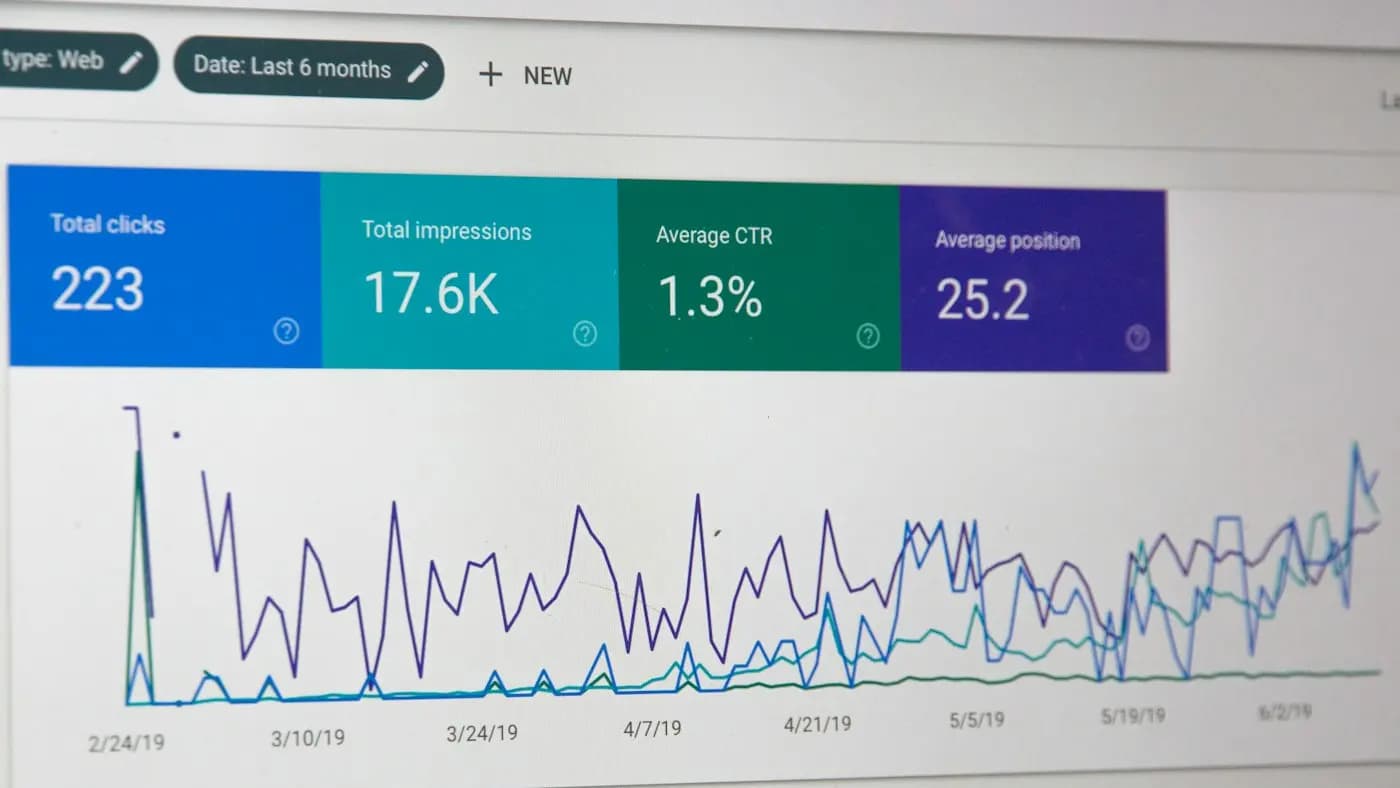
The title tag is the clickable headline shown for your page in search results and on browser tabs. It is short, easy to edit and often neglected. Treat it as a tiny advertisement for the page, and you can improve how both people and search engines understand your content.
What a Title Tag Actually Does
A title tag does three jobs at once.
- It tells search engines what the page is about.
- It gives searchers a reason to choose your result over the others.
- It labels the page in browser tabs, bookmarks and shared links.
Notice that the second job is about persuasion, not just keywords. A page can appear in results and still be ignored because its title is vague, bland or truncated. Title tag optimization is the work of balancing clarity for machines with appeal for humans.
Search engines also sometimes rewrite the title they display, especially when the original is too long, stuffed with phrases or does not match the page. Writing a clean, honest title reduces the chance of that happening.
Start With the Searcher, Not the Template
Many sites end up with titles generated by a template: page name, a dash, brand name. That is a reasonable fallback, but it rarely wins clicks. Before rewriting, ask what the searcher wants at the moment they see your result.
- A person searching "how to" wants a method.
- A person searching "best" wants a shortlist they can trust.
- A person searching for a local service wants proof that you are nearby and relevant.
- A person searching a product name wants the product page, not a blog post.
Your title should confirm that the page matches that intent. If your page is a step-by-step guide, say so. If it is a price list, say so. Mismatched titles attract the wrong visitors, who leave quickly.
A Five-Step Rewrite Process
Use this process on one page at a time.
Step 1: Define the Primary Phrase
Pick the one phrase that best describes the page, based on how real people search. If you need help finding it, the keyword research guide covers the basics. Avoid trying to fit three different phrases into one title.
Step 2: Put the Important Words Early
Readers scan from the left. Place the main phrase near the start when it reads naturally. Do not force it. A title that sounds robotic hurts clicks more than a slightly later keyword would.
Step 3: Add a Reason to Click
After the phrase, add a benefit, a format or a qualifier. Useful add-ons include:
- A result: "...and Save Hours Each Week"
- A format: "...A Step-by-Step Guide"
- A qualifier: "...for Small Teams"
- A proof element: "...With Free Templates"
Only promise what the page delivers. Overpromising raises quick exits and wastes the visit.
Step 4: Check Length and Clarity
Titles longer than roughly the width of a search result get cut off with an ellipsis. Exact limits depend on character widths and device, so aim for a concise title and preview it in a snippet tool or by searching for your own page. Keep the key message in the first half so a truncated title still makes sense.
Step 5: Add the Brand Thoughtfully
For a well-known brand, including the name can add trust. For a small or new brand, the brand name takes space that could carry more useful words. A common compromise is to place the brand at the end, separated by a simple divider, and drop it when space is tight.
Before-and-After Examples
These are hypothetical, written to show the thinking.
Imagine a small bakery whose cake page is titled "Cakes | Sweet Crumb Bakery". It says almost nothing. A stronger version for a local searcher might be "Custom Birthday Cakes in Pune, Order Online | Sweet Crumb". It names the product, location and action.
Imagine a freelance accountant whose blog post is titled "Tax Tips". A clearer version is "Tax Filing Checklist for Freelancers: What to Gather First". It names the audience and the benefit.
Imagine a software help page titled "Page 4". A better version is "How to Reset Your Password: Quick Steps". It matches how people phrase the problem.
Notice the pattern: each rewrite is specific, names the audience or place, and implies a useful outcome.
Patterns That Usually Work
- How-to titles. "How to Choose a Domain Name for Your Business"
- List titles. "Seven Checks Before You Publish a Blog Post" (use numbers only where the page really contains that many items)
- Question titles. "What Is a Canonical Tag and When Do You Need One?"
- Comparison titles. "Option A vs Option B: Which Suits a Small Shop?"
- Local service titles. "Service + City, plus one differentiator"
Rotate patterns across a site so results do not look identical, and pick the pattern that fits each page's intent.
Mistakes That Quietly Cost You Clicks
- Keyword stuffing. Repeating the phrase or listing many variations looks spammy and may be rewritten by the search engine.
- Duplicate titles. If many pages share one title, none of them stands out and search engines struggle to tell them apart. The technical SEO audit checklist shows how to find duplicates in bulk.
- Clickbait. A dramatic promise the page cannot keep leads to quick exits and lost trust.
- All capitals or heavy symbols. They are tiring to read and can look untrustworthy.
- Leaving titles to the default. Many content management systems fill in something automatic. Check what yours produces.
- Forgetting the homepage. The homepage title should explain what the business does and where, not just state the name.
How to Audit Titles Across a Whole Site
If you have dozens or hundreds of pages, work in priority order rather than rewriting everything at once.
- Export a list of your pages with their current titles using a crawler or your content management system.
- Flag titles that are missing, duplicated, extremely short or obviously too long.
- Use Google Search Console basics to identify pages with many impressions but few clicks. These are the best candidates, because people already see them.
- Rewrite the top candidates first, one at a time.
- Note the date of each change so you can compare later.
The on-page SEO checklist is a good companion for reviewing other elements on the same pages while you are there.
Titles Versus On-Page Headings
The title tag and the main heading on the page are different elements, though they often sound alike. The title speaks to someone scanning search results; the heading speaks to someone who has already arrived. They should agree in meaning but need not match word for word.
A title can be tighter and more persuasive, while the heading can be more conversational or add context. Make sure both reflect the same topic, so visitors feel they landed where they expected. If the title promises a checklist and the heading introduces an essay, the mismatch breeds distrust.
Pair the Title With a Good Description
The title and the short description under it work as a pair. The title earns attention; the description supports the decision. Make sure they do not repeat each other, and make sure they tell a consistent story. The guide to meta description writing explains how to write the second half of the snippet.
Test, Measure and Be Patient
A title change is a small experiment. After updating, wait several weeks, since search results take time to refresh, then compare clicks and impressions for the page against the earlier period. Be cautious about drawing conclusions, because seasonality, new competitors and other changes can all affect results.
If you have enough traffic, you can compare variations more rigorously, using the thinking in A/B testing for marketers. For most small sites, a simple before-and-after note is enough. Keep the versions that perform better and apply the same lessons to similar pages.
A Quick Checklist
Before saving any title, ask:
- Does it describe the page honestly?
- Does the main phrase appear naturally?
- Is the best part visible without truncation?
- Is it different from every other title on the site?
- Would a real person want to click it?
- Is the brand name earning its place?
Takeaway: Small Text, Big First Impression
Your title is often the first thing a potential customer sees. Write it for the searcher, keep it clear and specific, and give people a reason to choose you. Revisit your most visible pages first, and build a habit of checking titles whenever you publish.
If you want a second pair of eyes on your site's titles, explore the free resources or contact Kavin to discuss a review.
Frequently asked questions
How long should a title tag be?
There is no exact rule because display depends on character width and device. Aim for a concise title, put the key message in the first half, and preview it in search results to check it is not cut off.
Should every title include my brand name?
Not necessarily. Well-known brands benefit from the name, while smaller brands may prefer the space for descriptive words. Placing the brand at the end is a common compromise that you can drop when the title runs long.
Why does the search engine show a different title from mine?
Search engines may rewrite titles that are too long, repetitive, vague or mismatched with the page. A clear, accurate title that reflects the page content makes a rewrite less likely.
Can I change titles on pages that already rank well?
Yes, but do it carefully. Keep the core phrase, improve clarity and appeal, and track results over several weeks. Avoid rewriting many strong pages at once so you can tell what caused any change.
Related articles

SEO8 min read
301 vs 302 Redirects: Which to Use and When
301 vs 302 redirects explained with clear examples: when a move is permanent, when it is temporary, and how to avoid chains, loops and lost visitors.

SEO7 min read
Backlink Audit: How to Review Your Links Step by Step
A backlink audit shows who links to you, which links help and which need action. Follow this step-by-step method to review your link profile with confidence.

SEO7 min read
Canonical Tags Explained: Fix Duplicate Pages Calmly
Canonical tags explained in plain English: what they do, when to use them, common mistakes and a simple way to check that your preferred URLs are signalled.